


01 / CHOOSE
Some apps pull you in.
Pick the ones you want a little distance from.

Monk Mode. The iPhone app blocker.
Block the apps that pull you in.
Get back to what you meant to do.
Then $2.99/month · Cancel online anytime
Eligible accounts · Card required · Secure Stripe checkout
01 / CHOOSE
Pick the ones you want a little distance from.
02 / BLOCK
Your limit becomes a pause before the scroll.
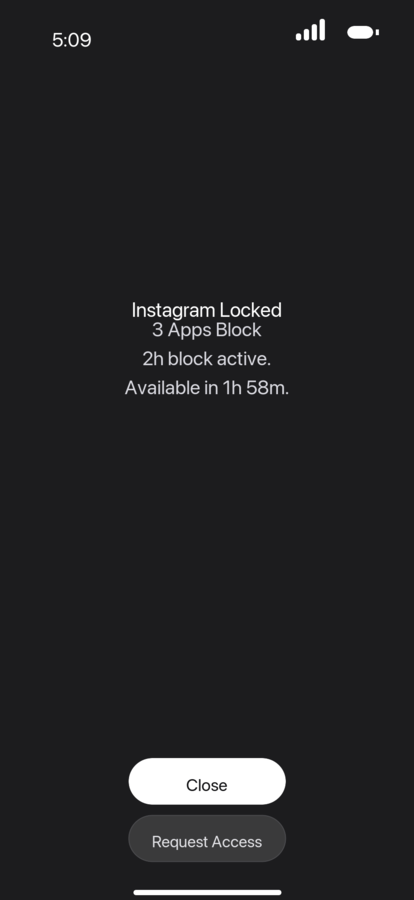
03 / FOCUS
Scroll through a session. See your time add up.Your chosen apps stay blocked while the timer runs.
Timeout design preview · 60-minute example
A LIMIT THAT FITS YOUR LIFE
You don’t have to give up your phone.
Just decide when it gets your attention.
Block selected apps now. Give your next task some uninterrupted time.
Instant blocksSet a recurring schedule for work, study, or winding down before bed.
SchedulesChoose a daily time allowance. When it’s used up, your limit takes over.
Daily limitsSet an opening limit for the apps you keep checking without thinking.
Opening limitsChoose your apps. Allow Screen Time access. Set your first boundary.
IT’S MORE THAN A FEW MINUTES.
About 3 months’ worth of waking hours a year.
Assuming 8 hours of sleep and 16 waking hours a day.
Each square is one waking day in a 30-day month.
30-day free trial · Then $2.99/month
Eligible accounts · Card required · Cancel online anytime
A 2026 U.S. survey reported 4h 5m of daily smartphone use. Reviews.org · 1,000 respondents ↗
GOOD TO KNOW
Monk Mode uses Apple’s Screen Time controls to restrict the apps you choose. Allow Screen Time access in the app, then set an instant block, schedule, time limit, or opening limit.
Your first Monk Mode trial is free for 30 days, then $2.99 per month. One free trial per account. A card is required. Sign in with Google, review the renewal date on Stripe, and cancel online anytime.
After Stripe confirms your subscription, download Monk Mode for iPhone and sign in with the same Google account. That connects your subscription to the app.
Monk Mode is made for iPhone and requires iOS 17 or later.
No. Monk Mode doesn’t need to read your messages, posts, or the content inside other apps to block distractions. Learn more in our privacy policy.